


Nostalgia Color by number game
4.4834.00 Reviews
App Specs
- Version
- 1.3.1
- Updated On
- License
- Free
- Downloads
- 1,000,000+
- Developer
- Art Coloring Group
- Categories
- Board
- Platform
- Android, iOS
Screenshots
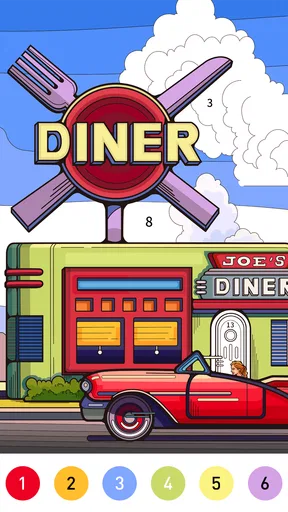
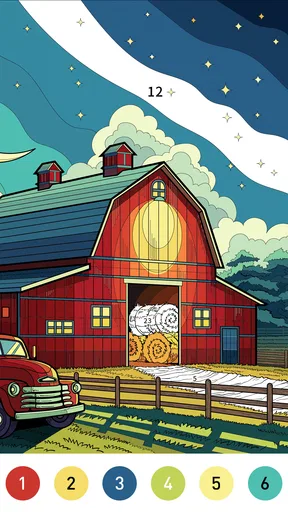
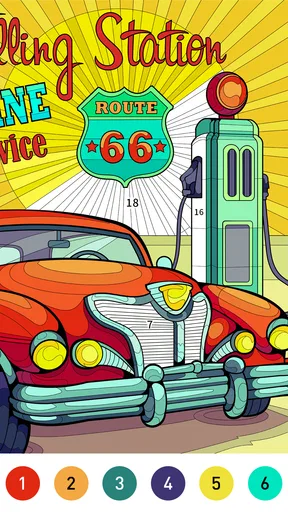
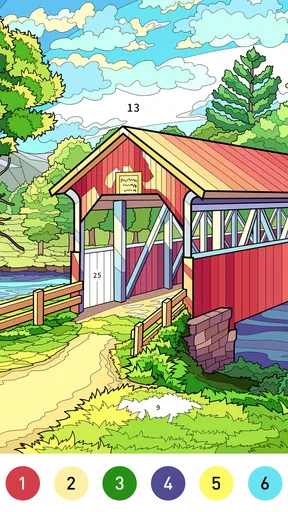
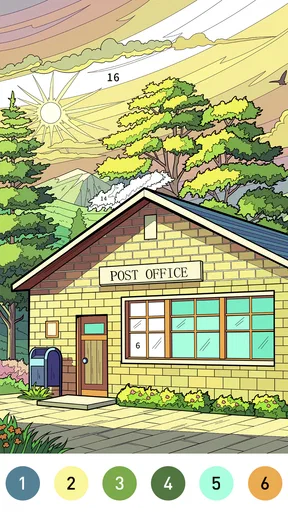
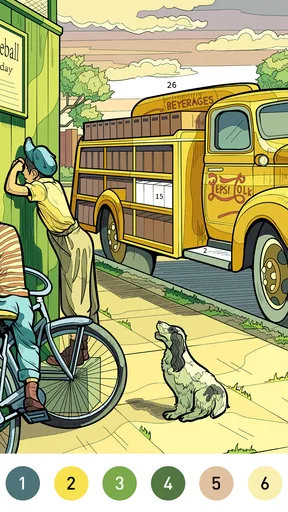
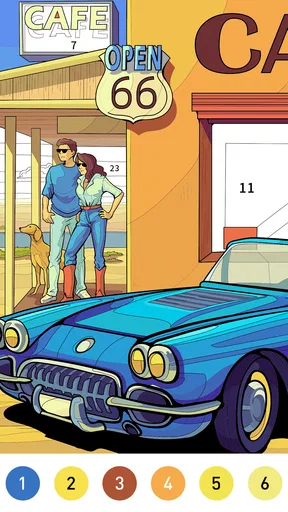
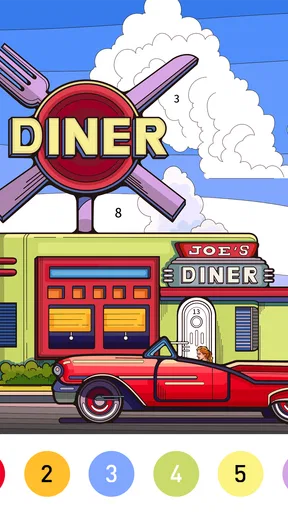
 Analysis by AppCompare
When I want a quiet activity that asks for just enough attention to hold my focus without turning into a project, I reach for a number-coloring game. Nostalgia Color by Number is built around that small, repeatable action: choose a picture, find the next numbered space, tap its matching color, and watch the image gradually take shape. I find the appeal less in making a perfect artwork than in the steady visual progress. One filled patch gives me a reason to look for the next, and finishing a picture provides a natural point to put my phone down—or choose another.
That simple rhythm makes the game particularly suited to short pauses: a few minutes while waiting, a quiet break between tasks, or a gentle wind-down when I do not want a demanding game. It is a free board game from Art Coloring Group, rated for Everyone, and its broad appeal is easy to understand: the basic action is approachable even if you have never used a digital coloring app. It has a 4.5 average from around 6,100 ratings, while more than a million installs suggest plenty of players have tried it. Those figures are useful context, but the real question is whether its loop suits the way you like to spend your downtime.
From the first tap to the finished picture
Have you ever found yourself longing for the simple joy of coloring by numbers? Well, you're in luck, because Nostalgia Color by Number has got you covered. I recently spent a delightful afternoon with this app, and let me tell you, it was a trip down memory lane with a modern twist.
Getting started and choosing a picture
First things first, downloading and setting up Nostalgia Color by Number is a breeze. Available on both Android and iOS, the app doesn’t take much space, which is great if you're like me and constantly battling storage issues. Once installed, you're greeted with a user-friendly interface that's both charming and intuitive.
Upon opening, you’re met with a vibrant gallery of images to choose from. The selection is pretty impressive, ranging from simple patterns to intricate designs. There's something for everyone, whether you're in the mood for a quick coloring session or a more detailed masterpiece.
For a short break, I would start with an image that looks manageable rather than picking the most detailed option just because it catches my eye. That small choice makes a difference: an easy picture gives me a quick sense of completion, while a more involved one is better when I have time to settle in. If you are wondering whether the game is suitable for a first-time player, the numbered coloring process is simple to understand; the more practical question is how much time you want to give a particular image.
The coloring experience and its feedback rhythm
Now, let’s get to the fun part: the coloring itself. If you’re new to the world of digital coloring, fear not! The app guides you through the process with ease. Each number corresponds to a color, and tapping on a section fills it in instantly. It’s oddly satisfying to watch the picture come to life one tap at a time.
Worth Reading Before You Choose

EA SPORTS FC Mobile 26 Is a Bigger Football Game, but It Takes Time

Flipboard Shows What News Apps Must Do Beyond the Feed

Switching to Android Auto Means Rethinking Your Driving Routine

Google Calendar Makes a Crowded Week Easier to Manage

Ludo King Makes the Most of the Minutes Between Plans

Baby Panda World Brings Quick Play to Modern Phones, but Its Game Library Feels Busy
One of my favorite features is the zoom function. You can pinch to zoom in on the more detailed sections, making it easier to ensure you’re filling in the right spots. The app also gives you the option to use hints if you’re stuck, but be warned, they’re limited, so use them wisely!
A useful way to handle a crowded patch is to zoom in before repeatedly tapping at tiny spaces. I find it easier to work through one color at a time, scanning for its matching areas, then switching colors when I can no longer spot an obvious section. This keeps the process orderly and reduces the temptation to tap quickly and lose track of where I am. I save a hint for the moment when I have genuinely searched the visible area and still cannot locate the relevant spot; using one just to speed through an image takes away some of the satisfaction.
The feedback is immediate but deliberately modest: the tap fills a section, the picture becomes a little clearer, and I move on. That makes this more of a low-pressure focus activity than a game built around reflexes, competition, or complicated choices. If you want action that changes dramatically from one moment to the next, the steady pace may feel too quiet. If you like visible progress without needing to plan a strategy, it is a good fit.
What makes another session appealing
What really sets Nostalgia Color by Number apart is how it manages to blend relaxation with creativity. It's perfect for unwinding after a long day or just when you need a break from the hustle and bustle. Plus, the nostalgic factor is real. Remember those coloring books from childhood? This is like that, but better.
The app also updates its gallery regularly, so there’s always fresh content to keep you entertained. And if you’re the competitive type, you can share your creations with friends and see how their masterpieces stack up against yours. It’s a fun way to connect with others and show off your artistic skills.
For me, the reward is the completed image and the sense that a scattered few minutes have added up to something finished. That is a different kind of payoff from earning points or beating an opponent, and it is also why I do not feel compelled to continue indefinitely. I can stop after one picture without leaving a match unfinished. On an ordinary evening, I might open the game while waiting for tea to steep, color for a few minutes, and close it when the picture reaches a satisfying stopping point rather than turning the break into a long session.
Compared with a paper coloring book, the digital format is tidier and lets me fill small regions with a tap, though it cannot reproduce the feel of pencils or the freedom to choose any color I want. Compared with puzzle or strategy board games, it asks for much less planning and has no opponent to keep pace with. That is a strength when I want calm, but a limitation if I am looking for a social game, a brain-teaser, or a creative tool with full control over palettes and strokes.
The nostalgia angle also makes it an easy recommendation for someone who enjoyed coloring as a child but does not want to keep physical supplies nearby. I would be more cautious recommending it to a player who gets frustrated by repetitive tapping, wants every image immediately available, or expects a deep progression system. The core activity remains the same from picture to picture; the interest comes from seeing a different design emerge, not from learning a new set of rules.
Free play, spending, and practical limits
While there’s plenty to love, it’s worth mentioning that some images are locked behind a premium subscription. This isn’t uncommon in apps like these, but it might be a bit of a bummer if you’re not looking to spend any money. However, there's still a generous selection available for free, so it’s not a deal-breaker by any means.
Another thing is the occasional ad pop-up. They’re not too intrusive, but they're there. A small price to pay for a free app, I say. Plus, they give you that brief moment to rest your eyes between coloring sessions.
The game is free to download, with optional in-app purchases ranging from $0.99 to $59.99 per item. I would try the free experience first and decide whether the available pictures and pace are enough before spending anything. The purchase range is wide, so it is worth checking the price shown for a particular option rather than assuming every paid choice costs the same. If you are choosing the game for a child, its Everyone age rating is reassuring as a broad content guide, but I would still supervise any purchase decisions on a shared device.
One practical trade-off is that hints are limited, so the most useful approach is to treat them as assistance for a genuinely hard-to-find section, not as a shortcut for every pause. Another is that zoom helps with precision but does not make a densely detailed picture feel quick; choose an image to match the length of your break. These small adjustments make the experience more relaxing, especially if you tend to start a picture and then need to stop before it is complete.
The current version is 1.2.9, and the game supports a minimum OS version of 7.1. If you are checking whether it suits your device, those are the compatibility details to compare with your system before installing. Its simple controls are not a substitute for accessibility settings or device-level adjustments, so anyone who finds repeated tapping uncomfortable should test a short session first and stop if the interaction feels tiring.
Who will enjoy the loop—and who may want something else
I think the strongest use case is a person who wants a calm, self-paced activity with clear visual progress. It works well for a brief waiting period because I can make a little progress without having to remember a complicated objective. It can also suit a relaxed shared moment: one person can pick the image and another can help spot matching numbered spaces, though the appeal still depends on enjoying the coloring itself.
I would skip it if your idea of a board game involves tactical decisions, a changing challenge, or direct competition. I would also look elsewhere if you want to draw freely rather than fill predefined numbered sections. The game gives structure to coloring, which is exactly what makes it easy to start, but that structure limits artistic choice. The best comparison is not with a full drawing app; it is with a digital coloring book that turns each small action into visible progress.
If you are unsure whether to begin with a detailed picture, I recommend choosing one that looks achievable and seeing how the tapping rhythm feels before committing to a longer session. If the numbered areas are satisfying to complete, move on to a more intricate design later. If you find yourself looking for more variety in the action rather than in the artwork, a puzzle or strategy game will probably hold your attention better.
Final thoughts on the repeat-and-reset cycle
All in all, Nostalgia Color by Number is a delightful way to unwind and tap into your creative side. It’s straightforward, fun, and a wonderful way to pass the time. Whether you’re looking to de-stress or just want to indulge in a bit of childhood nostalgia, this app has got you covered.
So, if you're in the mood for some colorful fun, why not give it a try? You might just find yourself hooked, just like I did. Happy coloring!
My verdict is that the action, instant fill, gradual reveal, and completed picture make a satisfying loop for short, quiet sessions. The reset is simple: choose another image when you feel like continuing, or leave the game after the current one without needing to keep up with a group. That ease is its clearest strength, while the repeating tap-to-fill routine and paid access to some pictures are the main reasons it will not suit everyone. I would recommend trying it free if you want gentle, structured coloring; I would choose a more interactive board game or a freeform art app if I wanted competition, strategic depth, or greater creative control.
Pros
- Wide variety of coloring pages available.
- Easy-to-use interface for all ages.
- Offline mode for on-the-go coloring.
- Regular updates with new content.
- Relaxing gameplay with soothing music.
Cons
- Ads can be intrusive at times.
- Some features locked behind paywall.
- Limited color palette options.
- Occasional app crashes reported.
- In-app purchases can be costly.
FAQs for Nostalgia Color by number game
What is Nostalgia Color by Number and how does it work?
Nostalgia Color by Number is a relaxing puzzle game where users color numbered sections of an image to complete a vibrant picture. Each number corresponds to a specific color, making it easy for users to follow along and fill in the artwork. This app is designed for all ages, offering a stress-free way to enjoy coloring without the mess of physical materials.
Can I play Nostalgia Color by Number offline?
Yes, Nostalgia Color by Number can be played offline. Once you have downloaded the app and the images, you can continue coloring without an internet connection. This feature makes it convenient for users who want to enjoy the game while traveling or in areas with limited connectivity.
Are there in-app purchases or ads in Nostalgia Color by Number?
Nostalgia Color by Number includes both in-app purchases and ads. Users can purchase additional image packs or remove ads for a smoother experience. While the app is free to download, these purchases support the developers and enhance the overall user experience by offering more content and an ad-free environment.
Is Nostalgia Color by Number suitable for children?
Yes, Nostalgia Color by Number is suitable for children. The app is designed to be family-friendly, with simple controls and a focus on creativity. Parents can feel confident that their children are engaging in a safe and educational activity, as it helps to develop color recognition and fine motor skills.
How do I save or share my completed artwork in Nostalgia Color by Number?
Once you complete an artwork in Nostalgia Color by Number, you can easily save it to your device or share it with friends and family through social media platforms. The app provides options to save or share directly from the interface, allowing you to showcase your creations effortlessly.


